Room Design Planner · how it works, part 6 of 7
How the room design planner works · Part 6 — A designer’s eye: what they’d change, and where
Before you order a single piece, get a second opinion: what a designer would change, with the measurement and why.
About this video
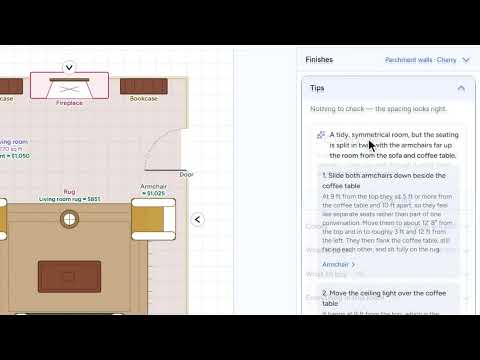
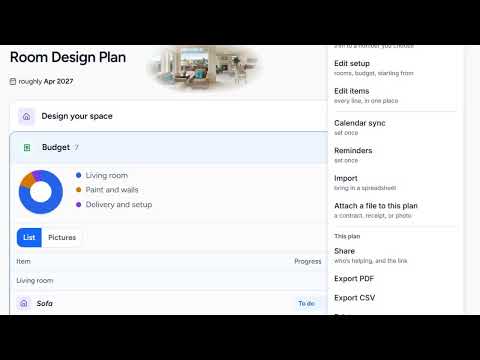
Before you order a single piece, get a second opinion. Tips checks the spacing between everything you have placed, as you draw; here it is all clear. Then Have a designer look at it reads your room the way a designer would: how you walk through it, what faces what, and where things get used, and says what it would change. Every change is specific, with the measurement and the reason, and clicking its name shows you which piece it means. Make the change yourself, or leave it: it is your room.
What you’ll see
- Tips: the spacing between everything, checked as you draw
- A designer’s read of how you walk through the room and what faces what
- Each change with its measurement and the reason for it
- A change’s name showing you the piece it means
- Your call: make the change, or leave it
How the Room Design Planner works
All videos- Part 1: Your first plan: a few answers, and the room is priced1:42
- Part 2: Ideas you love: pin the looks you want, then design toward them0:52
- Part 3: See it in 3D: a living room round a fireplace, priced as you draw1:17
- Part 4: Make it yours: a palette, a painted wall and a picture over the sofa1:37
- Part 5: See it finished: by the fire, at evening, and made real with AI1:05
- Part 6: A designer’s eye: what they’d change, and whereWatching now0:46
- Part 7: Budget, timeline and help: the whole room, priced and in order1:29