Wedding Planner · how it works, part 6 of 10
How the wedding planner works · Part 6 — Your wedding website: built from your plan, then yours
Build the site from your plan in about a minute, then make it yours: a warmer message, a gold finish, the pages your guests need.
About this video
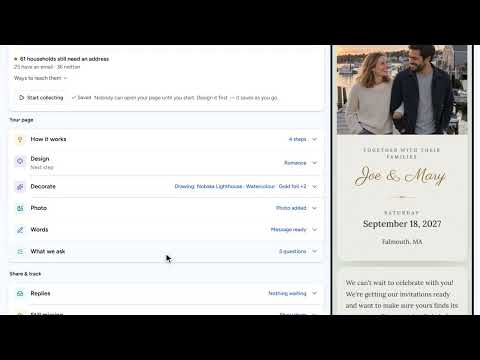
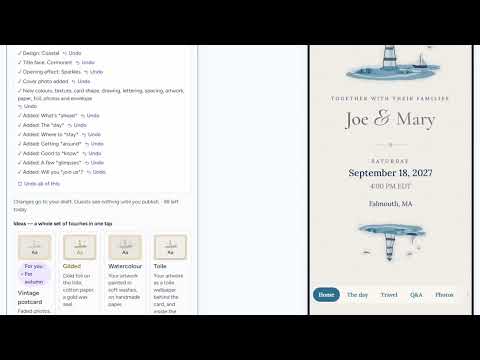
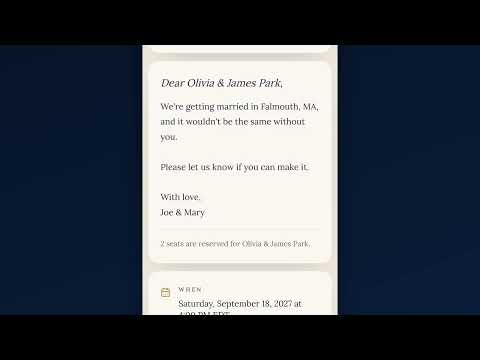
Your wedding website does not start blank. Ask it to build the site from your plan and you get a cover photo, your schedule, where to stay, the questions guests always ask, and a menu to move between them, with a simpler version to flip to. Anything it does not know, it leaves as a note for you, and every change has its own Undo. Click any part of the page to change it, say what you want in your own words, take a whole finish in one tap, and add the pages and sections your guests need. See it on a computer, and as a visitor. Publishing sends nothing: it puts your site online with one private link for each household, and each link already knows who it is for.
What you’ll see
- A whole site built from the plan
- Two versions to flip between, and an Undo on every change
- A warmer message, asked for in plain words
- Gilded: gold foil on the title, in one tap
- A page and a section added, and a warning before a note reaches a guest
- The site on a computer, and as a visitor sees it
- A household’s own link, already addressed to them
How the Wedding Planner works
All videos- Part 1: The budget: typical costs, until you know yours0:51
- Part 2: The idea board: keep every possibility, with its picture1:32
- Part 3: Recommendations: picks that know your plan0:51
- Part 4: Likes, comments and sharing: plan it together1:08
- Part 5: Collecting addresses: a page guests fill in themselves3:38
- Part 6: Your wedding website: built from your plan, then yoursWatching now2:43
- Part 7: Guests and RSVPs: a list that answers itself1:08
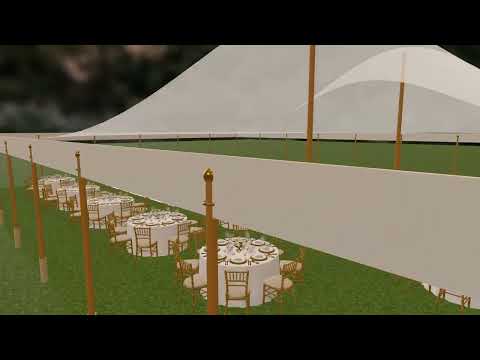
- Part 8: Seating, in 2D and 3D: see the room before the day1:13
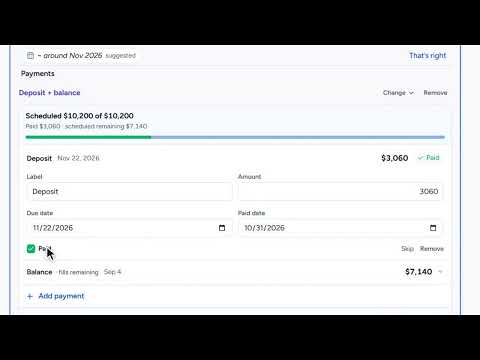
- Part 9: Payments: what’s paid, what’s next0:50
- Part 10: The day’s timeline: from hair and makeup to the last dance0:52