Wedding Planner · how it works, part 5 of 10
How the wedding planner works · Part 5 — Collecting addresses: a page guests fill in themselves
One link, and every guest fills in their own address, on a page that looks like your wedding.
About this video
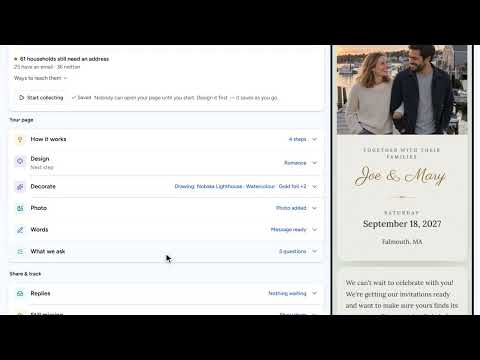
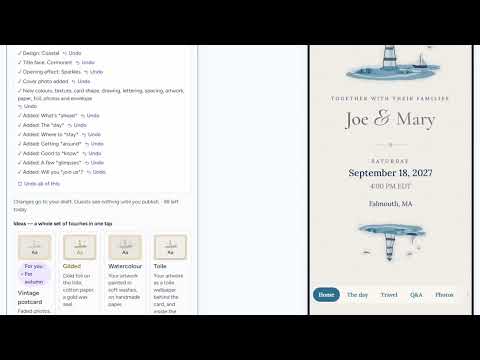
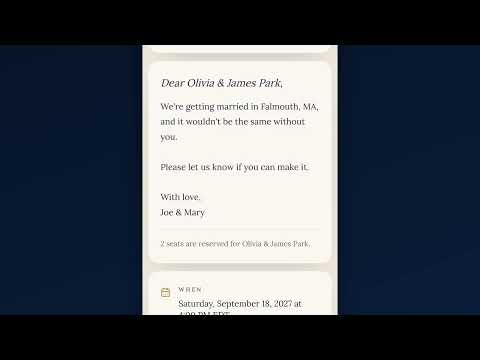
Before the invitations go out you need addresses, and nobody wants to chase them in a group text. So make a page of your own, step by step: pick a design and watch it change as you tap, add petals for the moment it opens, choose from more than ninety fonts and a palette, take a whole look like Gilded in one tap, and draw a picture that means something to you. Add your photo, try another tone for the words, choose what you ask for, start collecting, and share the link by text, email or a printed QR code. Carol fills it in on her phone in about a minute, with no account, and her reply waits for you, already matched to her name on your list.
What you’ll see
- Six designs, and a page that changes as you tap
- Petals when the page opens, ninety fonts, and palettes
- Gilded in one tap, and a drawing that draws itself as if by pen
- A lighthouse painted for this couple, in their colors
- Words already written from your plan
- A guest filling it in on a phone
- A reply matched to a name on your list, one tap from the envelope
How the Wedding Planner works
All videos- Part 1: The budget: typical costs, until you know yours0:51
- Part 2: The idea board: keep every possibility, with its picture1:32
- Part 3: Recommendations: picks that know your plan0:51
- Part 4: Likes, comments and sharing: plan it together1:08
- Part 5: Collecting addresses: a page guests fill in themselvesWatching now3:38
- Part 6: Your wedding website: built from your plan, then yours2:43
- Part 7: Guests and RSVPs: a list that answers itself1:08
- Part 8: Seating, in 2D and 3D: see the room before the day1:13
- Part 9: Payments: what’s paid, what’s next0:50
- Part 10: The day’s timeline: from hair and makeup to the last dance0:52